 Kimai
Kimai
Open Source
Timesheet
Timesheets are documents or digital forms used to record and report the hours worked by an employee, including specific projects, tasks, or activities performed during their working time. ✨
No vendor lock-in
Vendor lock-in can cost a lot, not just in cash but also in hours. With Kimai, you can host it yourself, have me host it for you, or fork it and change it. You're never locked into a hosted product, and all of your data is easy to export so that if you ever decide Kimai isn't for you anymore, your data is still yours (the same applies to the paid plans, I offer data export upon cancellation).
Always transparent
With closed source software, you have only the vendor's claims that they're keeping the software secure and adhering to standards. The visibility of the code behind open source software means you can see for yourself. You can always see my responses to the community, the release schedule and milestones, and every commit and pull request review.
Discover Kimai
Nobody loves filling out timesheets. They rank somewhere between expense reports and mandatory compliance training on the list of things people enjoy at work. And yet, timesheets are the backbone of every project-based business. Without them, billing is guesswork, resource planning is fiction, and overtime disputes turn into he-said-she-said arguments.
The good news: timesheets don’t have to be painful. Kimai turns them from a dreaded Friday afternoon chore into something that happens almost by itself.
Why timesheets matter more than you think
Timesheets aren’t bureaucratic busywork. They answer questions that directly affect your bottom line: How many hours went into that client project — and were they billable? Is your team overloaded or underutilized? Did that “quick two-hour fix” actually take twelve?
Agencies and consultancies live and die by accurate timesheets. Every unbilled hour is lost revenue. Every overbilled hour is a client trust problem. Kimai tracks time against projects and clients, so invoices reflect reality — not optimistic estimates.
Software teams use timesheets to understand where development time goes. Is the team spending 40% of its time on maintenance? That’s a signal. Without timesheet data, it’s invisible.
Freelancers need timesheets for one simple reason: getting paid. Clients expect detailed breakdowns, and tax authorities want documentation. A clean timesheet beats a shoebox full of sticky notes every time.
How Kimai makes timesheets work
The core idea is straightforward: start a timer when you begin working, stop it when you’re done. Kimai records the entry with start time, end time, duration, project, and activity. At the end of the week or month, your timesheet is already complete — no reconstruction from memory required.
For teams that prefer logging time after the fact, Kimai supports manual entries too. Fill in your hours at the end of the day, drag and drop entries in the calendar view, or use the quick-entry form to batch-enter a whole week.
Timesheet exports come in multiple formats: PDF reports for clients, Excel files for accounting, CSV for further processing. Each export can be customized to show exactly the columns and groupings you need.
What makes an open-source timesheet different
Most timesheet tools lock you into a subscription. Prices go up, features get paywalled, and your data sits on someone else’s servers. When the vendor decides to pivot or shut down, you scramble for alternatives — and your timesheet history may not come with you.
Kimai is open source. The code is on GitHub, the data is yours, and the software runs on your infrastructure if you want it to. No vendor lock-in, no surprise price hikes, no forced migrations.
This matters especially for timesheets because they contain sensitive workforce data: who worked when, how long, on what. With Kimai, you control where that data lives and who can access it.
From timesheet to business intelligence
A timesheet is a record of what happened. But aggregated over weeks and months, timesheets become a strategic resource. Kimai’s reporting tools let you analyze time data across projects, teams, and time periods.
Which projects are profitable? Where do estimates consistently miss the mark? How does your team’s capacity compare to demand? The answers are in your timesheets — Kimai helps you find them without a data science degree.
Cloud or self-hosted: same code, your choice
Kimai Cloud gets you started in minutes — no server setup, no maintenance overhead. The on-premise version gives you full control over your infrastructure. Both run the same codebase, including all commercial plugins.
Switching between them is straightforward. Cloud customers receive regular full backups they can import into a self-hosted instance. Self-hosted users can migrate to the cloud when they’re ready to stop managing servers.
Try Kimai for free and see what timesheets look like when they’re not a pain.
Which Kimai is right for you?
On-Premise
I take care of the software, you take care about the hosting, updates and security. And if you don't want to do it yourself, there is always support available at your fingertips. You buy the plugins relevant to you in an annual update subscription.
Cloud
Get up and running in seconds, leave the hosting and update to me, you take care of your core business. Make sure your team is ready for the future, with a modern time tracking solution. All plugins are available in the cloud at no extra cost.
Cloud or self-hosted.
You decide.
| Self hosting | Kimai Cloud | |
|---|---|---|
| Invoicing | ||
| Export data | ||
| Email Support | With additional costs | |
| Community Forum | ||
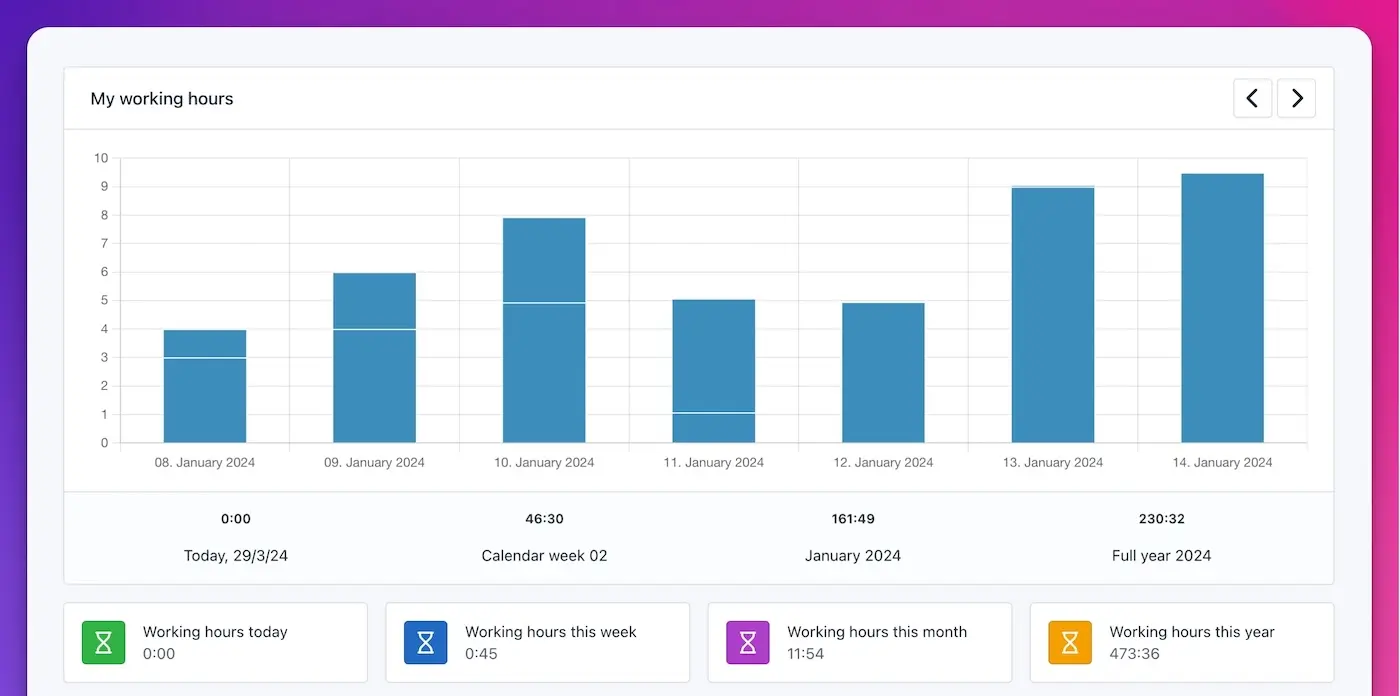
| Working hours, vacation, sickness, public holidays | 299 € per year | |
| Audit trail logs | 49 € per year | |
| Custom fields | 99 € per year | |
| Expense management | 99 € per year | |
| Task planning | 79 € per year | |
| Translations | 29 € per year | |
| Kiosk mode with support for Barcode, RFID, Web NFC | 199 € per year | |
| Customer Portal | Plugins | |
| Custom Domain with SSL | ||
| Automatic Backups | ||
| Access restriction via IP | ||
| Automatic Updates | ||
| Server Maintenance | ||
| Prioritized Feature Requests |