 Kimai
Kimai
Kimai vs. Harvest

Valentina
@ivalentinaIf you’ve searched “Harvest alternatives” or “Harvest pricing” lately, just realise you’re not alone. In 2025, Harvest, founded back in 2006 and long known as one of the simplest ways to track time and invoice clients, was acquired by Bending Spoons. Shortly after, Harvest’s pricing model changed: instead of a flat per-seat rate, it now layers usage-based fees on top for invoices, projects, clients, and tasks. The free plan was also trimmed down to a single user and two projects.
For a lot of freelancers and teams, that meant renewal notices that looked nothing like the bill they were expecting — some jumping from a few dollars a month into hundreds.
That’s the honest, factual backdrop confirmed by our new customers. And to be clear: Harvest is still a solid, well-built product, and the team behind it created something genuinely useful for a lot of people over the years. What’s changed is the business model behind it, and that’s exactly the kind of thing that makes people start asking, “What else is out there, and can I trust it to stay that way?”
That’s the question our blog post tries to answer.
Kimai vs. Harvest pricing: what you’d actually pay
Let’s start with the numbers, since that’s usually what brought you here.
Kimai Cloud currently runs:
- Standard plan: €2.99/user/month (billed annually) or €3.99/user/month monthly. It includes project time tracking, billable hours, invoicing, data export, audit logs, and industry-specific translations.
- Professional plan: €3.99/user/month (billed annually) or €4.99/user/month monthly.
- It adds working-hour accounts, vacation/sick leave tracking, expense tracking, custom fields, task management, a customer portal, SAML single sign-on, and a custom domain with SSL.
Both plans include unlimited customers, projects, and activities — no counting your invoices or clients against a hidden usage cap. You know what you’ll pay next month, because it’s the same as what you paid this month.
Harvest, by comparison, lists its Teams plan from around $9–11 per seat per month and Enterprise plan from $14–17.5 per seat per month, but on top of that base rate, usage-based fees now apply depending on how many invoices, projects, clients, and tasks your account generates. For a small, steady solo account the difference might be minor. For a growing team, it’s the part that turns next month’s total into a guess rather than a number.
We’re not going to pretend we have visibility into every Harvest contract out there. Pricing details change, and you should always check current numbers on each vendor’s own site. But the structural difference is the real story: flat and predictable vs. metered and variable.
Free plan, or free forever with self-hosting
Kimai has always kept a free, self-hosted edition of the time tracking app.
This is worth pausing on, because it’s a real fork in the road that a cloud-only tool like Harvest simply can’t offer: Kimai is open source, so you can download it and run it on your own server or a cheap VPS.
You take on the server maintenance yourself, but in exchange you get complete control over where your time data physically lives, no vendor pricing changes to worry about, and the ability to customize the platform to your workflow. For teams and DIY-minded freelancers who’ve just been burned by a pricing surprise, that independence tends to matter a lot.
If self-hosting isn’t your thing, Kimai Cloud is hosted on servers in Germany (Hetzner, Falkenstein), which also means EU-based data protection and GDPR compliance by default (something worth knowing if your organization operates under EU data rules, since US-hosted tools can be subject to different legal access frameworks).
Invoicing: where Kimai puts real weight
Invoicing isn’t a bolted-on extra in Kimai - it’s one of the core, built-in features in every paid plan, right from the Standard tier. That matters, because the whole point of time tracking for most freelancers and agencies is turning tracked hours into money, not just timesheets or charts.
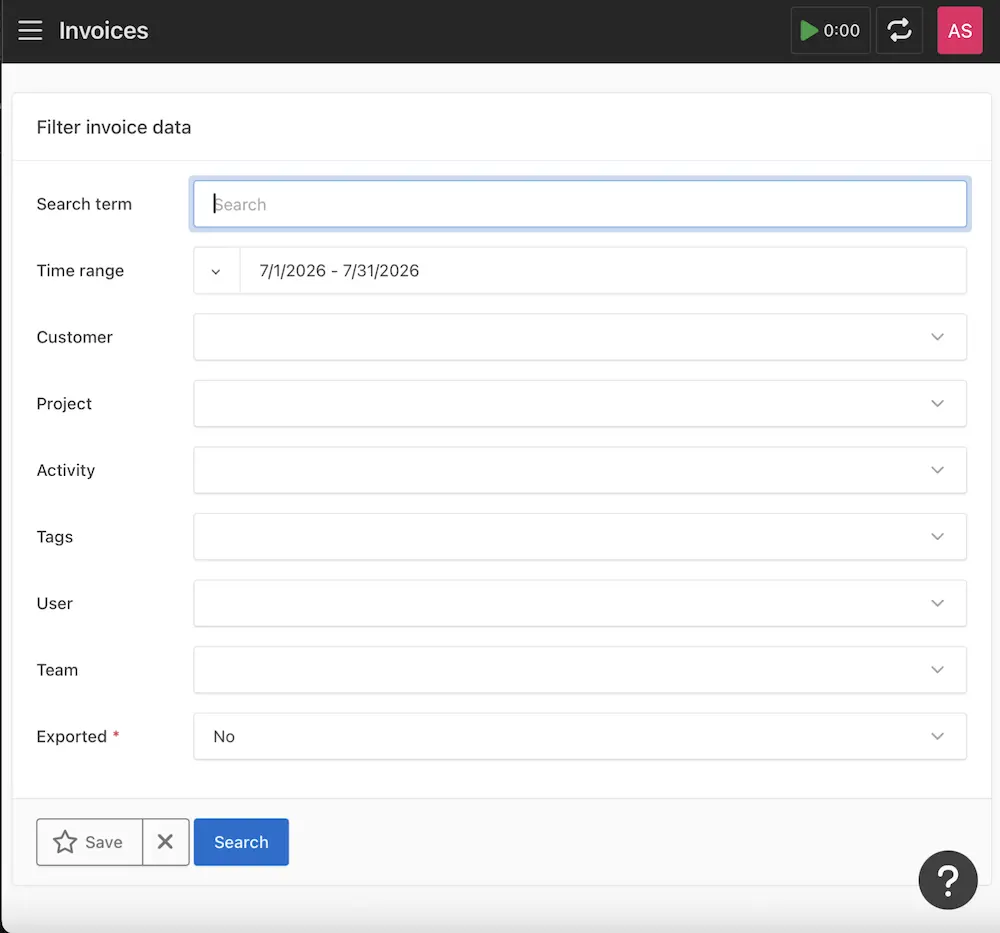
With Kimai, you get:
- Configurable invoice templates
- Flexible entry grouping, so you decide how tracked time rolls up into line items
- Configurable invoice numbering, for teams that need specific numbering schemes for accounting or tax purposes
- Multiple export formats, including PDF and DOCX
- A Customer Portal (in the Professional plan) so clients can see their own project statistics and timesheets through a secure, optionally password-protected link—without you needing to export and email anything
Harvest’s invoicing is genuinely one of its strongest features too, and it’s been doing this well for a long time: recurring invoices, online payments, accounting integrations. We’re not here to say otherwise. The difference is less about whether invoicing exists, and more about whether the tools connecting your time to your money keep scaling with you without adding new fees every time you send another invoice.
Thinking about switching? A few tips for you
If you’re currently on a Harvest plan and reconsidering your renewal, it’s worth checking your contract terms for cancellation windows before your next billing date — that’s between you and Harvest’s support team, but it’s the first practical step before migrating anywhere.
The next step is moving time-tracking history between tools. Kimai has a CSV importer built specifically for this: export your projects, clients, and time entries out of Harvest, and load them into Kimai in one pass. You keep your historical records intact, and you’re not starting from a blank timesheet.
A word on pricing philosophy
Here’s something we think is genuinely worth knowing, separate from the feature comparison: in Kimai’s history, we’ve raised prices exactly once. We don’t think pricing should be a surprise, and we don’t think it should change shape every time a company changes hands. If you choose Kimai today, the plan you sign up for is the plan you should expect to still be paying next year.
We also want to be upfront about something we’re proud of: our non-profit discount rate - €0.99 per user, per month - is one we intend to keep forever. Non-profits, schools, rescue services, community organizations (all the people doing quietly important work with limited budgets) shouldn’t have to worry about their time-tracking tool becoming a line item they can’t justify.
Final thoughts
Harvest earned its reputation the hard way, over nearly twenty years, and plenty of teams have built solid workflows around it. If its current pricing still works for you, there’s no urgency to change anything. But if you’re one of the many people who opened a renewal email this year and didn’t recognize the number on it, it’s worth knowing there’s an alternative built around a different promise: flat, predictable pricing, real invoicing tools baked in from day one, and the option to self-host.
Try Kimai for free, check out the features in our demo, or learn more: