 Kimai
Kimai
Are You More Light Side or Dark Side? Discover Kimai Dark Mode

Valentina
@ivalentinaWorking long hours demands a time tracker without distraction. The refreshed dark mode in Kimai is a clean interface designed specifically for professionals who work 8+ hours daily and often find themselves logging time into the evening hours.
Why dark mode matters for time trackers
A time tracker without distraction requires thoughtful design. Dark mode isn’t just cosmetic — it’s a productivity tool that reduces eye strain during long workdays.
Less eye strain, more focus
Working long hours at a bright screen may cause fatigue and headaches. Kimai’s dark mode reduces light absorption, letting you work comfortably into the evening without strain.
Distraction-free tracking
A clean interface with dark styling eliminates glare and keeps your attention on what matters — accurately tracking billable hours with minimal mental load.
Perfect for evening work
Dark mode reduces blue light exposure, supporting a healthier sleep schedule while you track projects across time zones or work late into the night.
What’s new in Kimai’s refreshed dark mode
We listened to feedback from thousands of Kimai customers who wanted a time tracking solution that simply worked without complexity. According to their feedback, the refreshed dark mode delivers:
- Consistent dark styling across your entire dashboard
- Optimized contrast for readability without eye strain
- A clean, minimal interface that keeps you focused on time tracking, not UX
- Seamless switching between bright and dark themes based on your preference or time of day
You can also rely on the automatic mode in Kimai. The required light or dark theme is chosen automatically according to your device’s settings.
For example, if your system switches to darker shades at 7 PM, Kimai will change seamlessly as well.
How to enable dark mode in Kimai
Switching to dark mode is simple:
- Log into your Kimai account
- Navigate to your user preferences
- Select “Dark” theme
- or “Bright” if you prefer a light background with a dark menu
- or “Automatic” mode
- Save your preferences
The theme you choose will apply consistently across your dashboard, making Kimai a time tracker without distraction, every single time you log in.
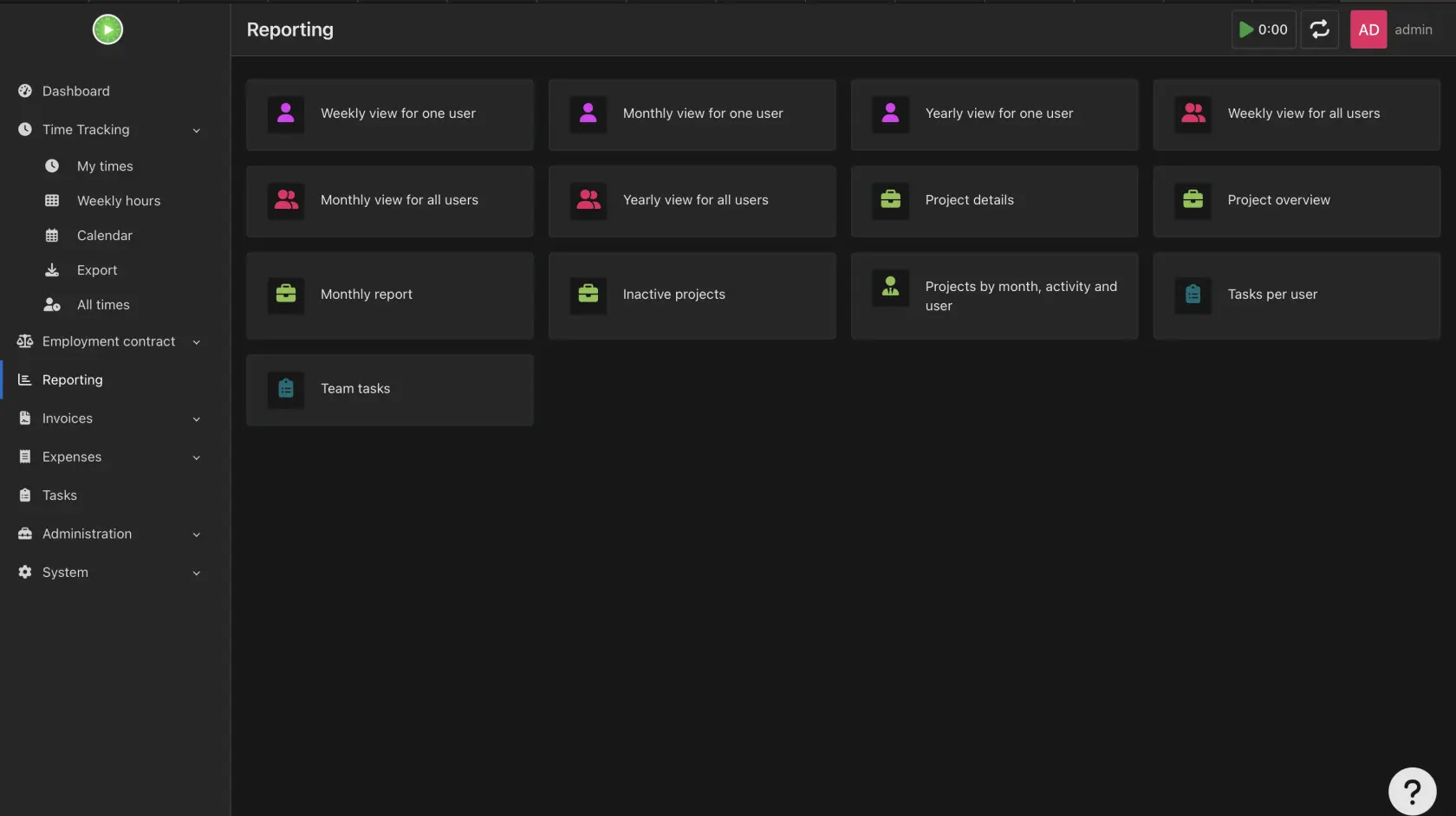
Experience the difference
Are you ready to switch to a time tracking solution that respects your eyes? Whether you’re looking for simple time tracking or a time tracker built for professionals working extended hours, Kimai delivers.
Start your Kimai free trial in dark mode today — or switch your existing account now.
Your eyes will thank you!