Kimai
Kimai
Trainee Report

PCSG - Computer & Internet Service OHG
Create trainee reports directly from Kimai as PDF documents for daily, weekly, monthly or yearly reporting periods.
Features
- Generate trainee reports as PDF files directly from Kimai
- Supports daily, weekly, monthly and yearly reports
- Weekly reports can be generated for Monday to Friday or Monday to Sunday
- Supports training years 1 to 4
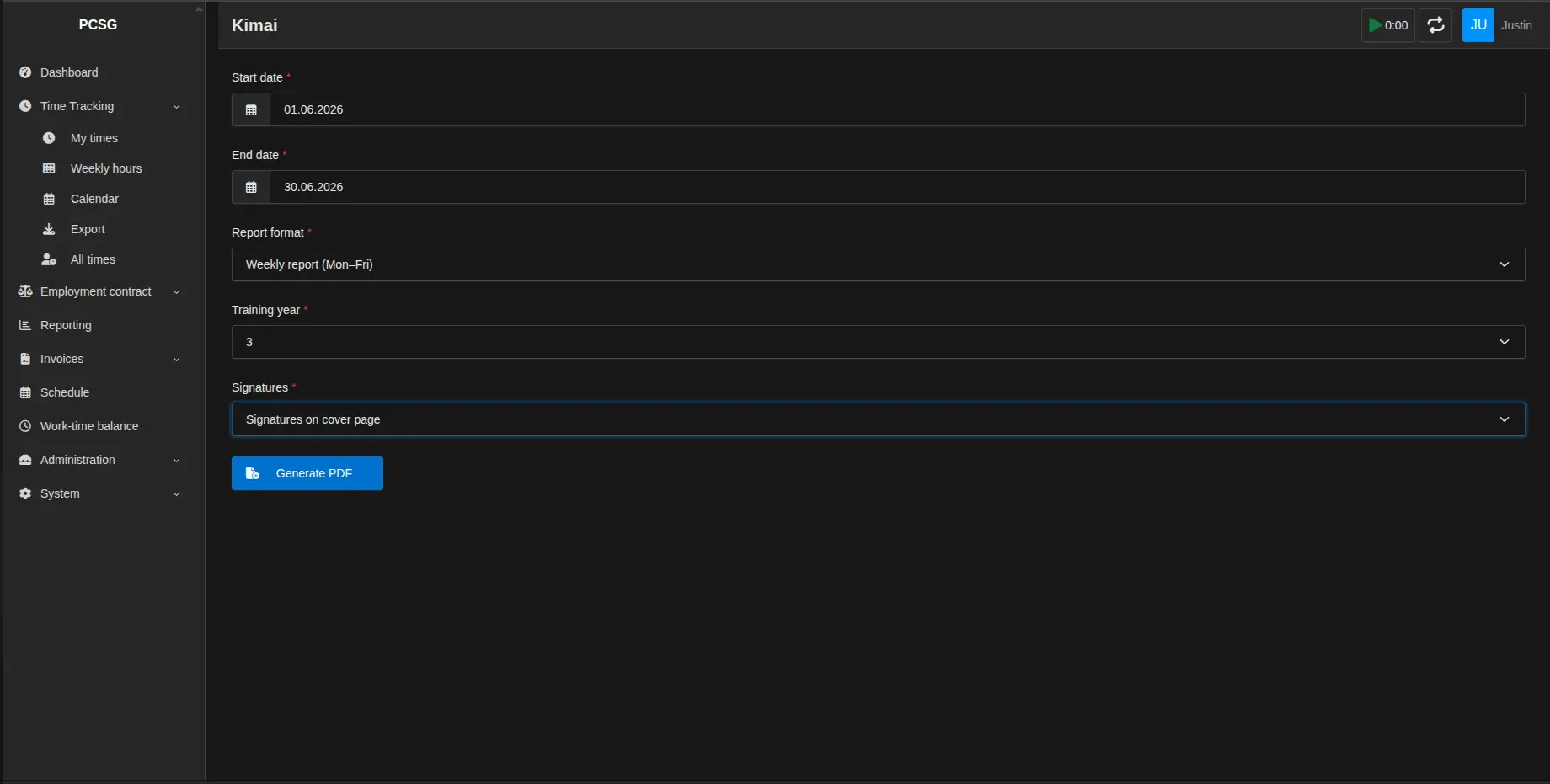
- Two signature modes: signature on every page or signatures on the cover sheet
- Automatically displays the configured company logo in the PDF
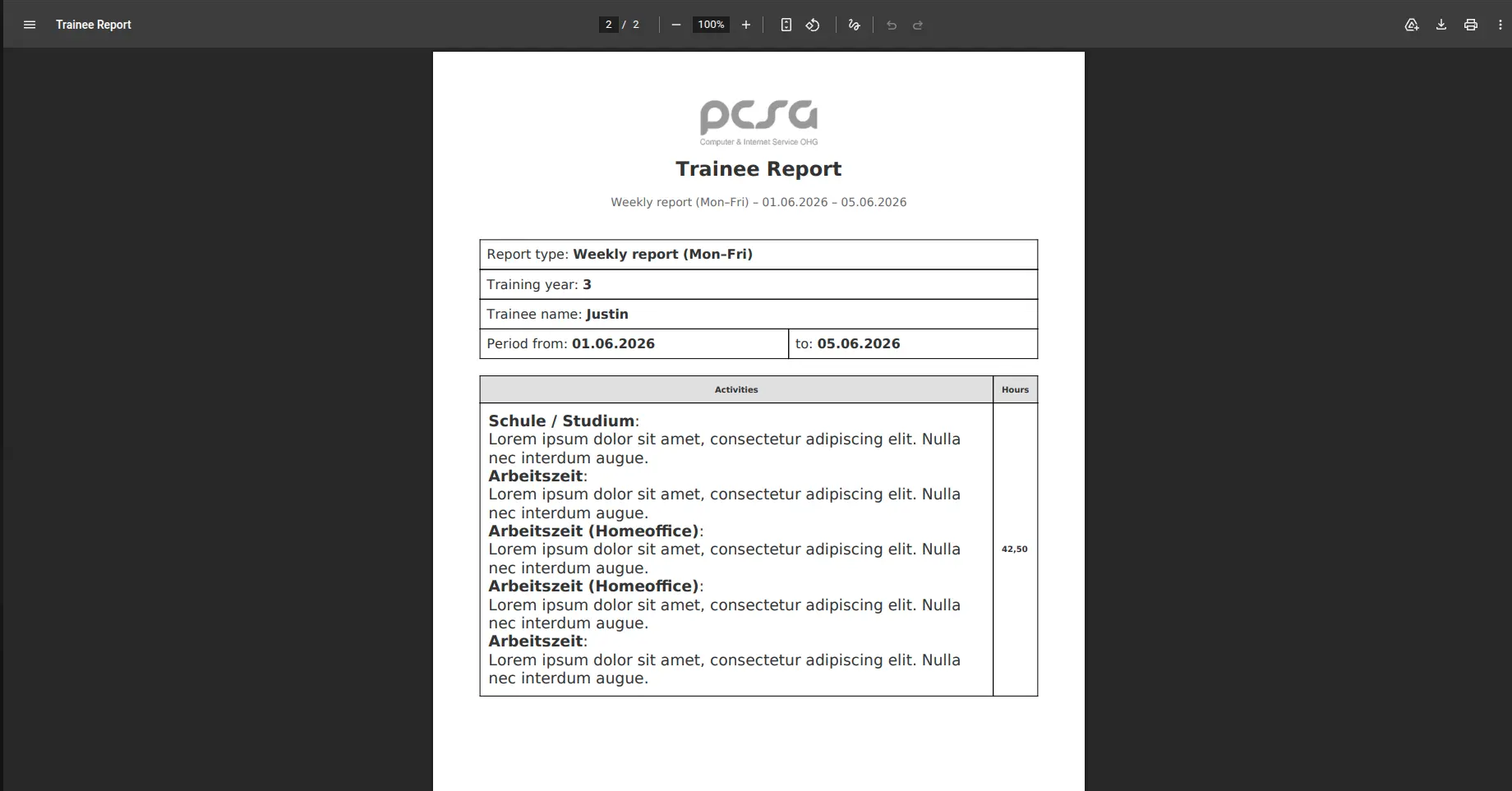
- Includes all time entries that overlap the selected reporting period
- German and English translations based on the Kimai UI language
Requirements
- PHP 8.2 or higher
- Kimai 2.20 or higher
Usage
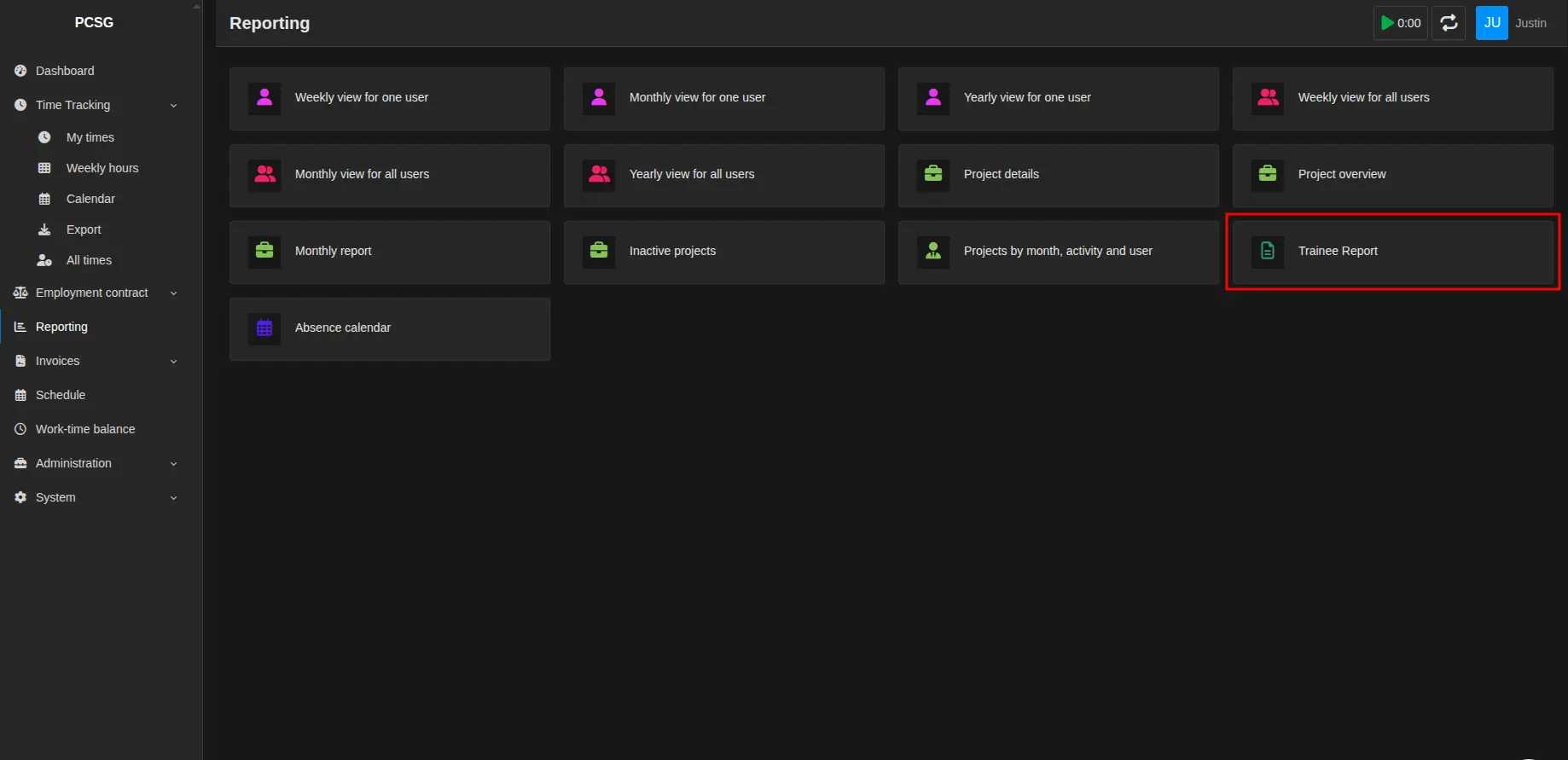
- Go to Reporting → Trainee Report in Kimai.
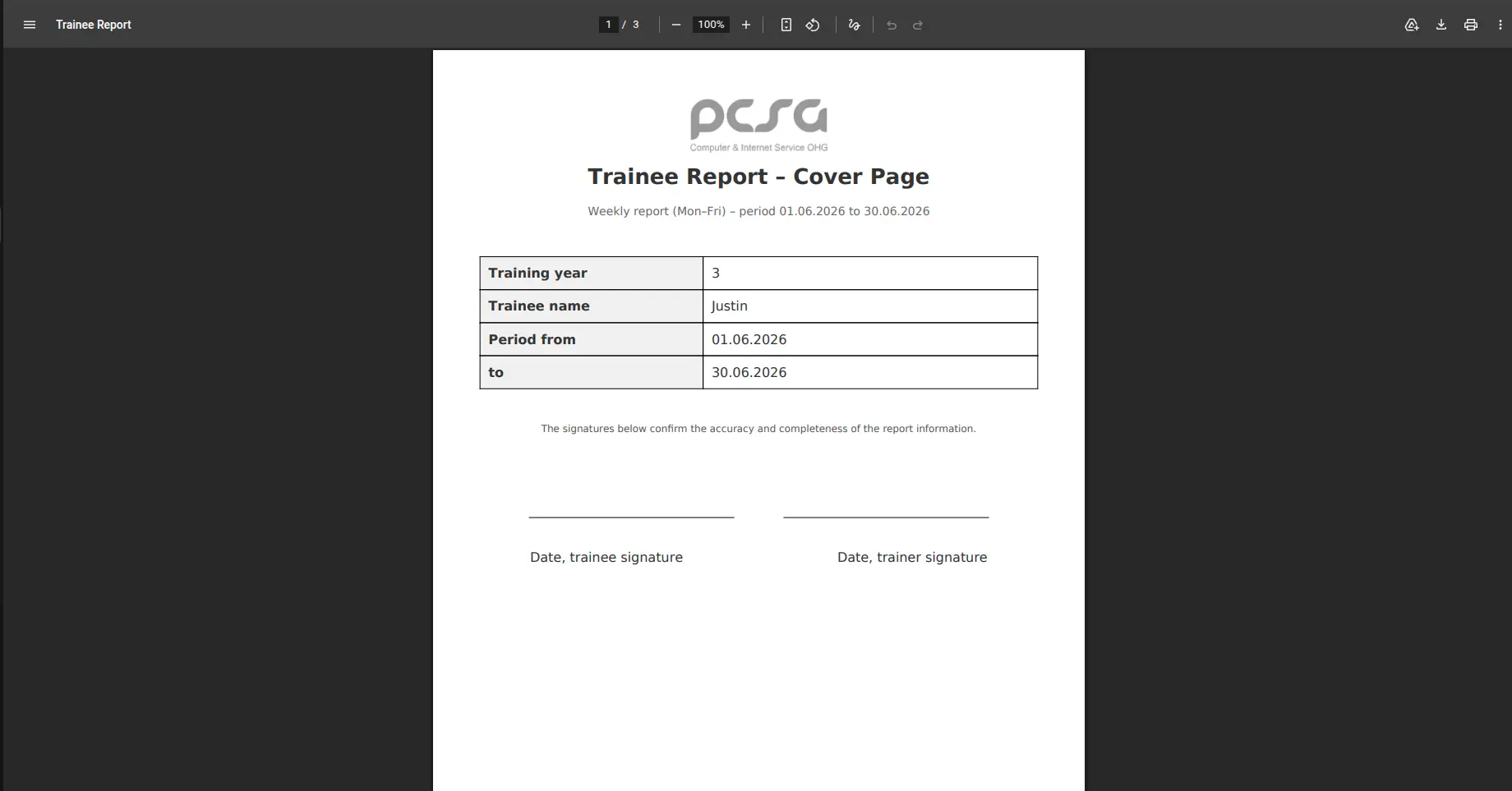
- Choose a start date and end date.
- Select the report format: daily, weekly, monthly or yearly.
- Select the training year.
- Choose the signature mode.
- Click Generate PDF.
If a company logo is configured in Kimai, it will automatically be shown on the cover sheet and in the reports.
Support
If you require support for the usage or setup of this plugin or find any bugs please contact support@pcsg.de!
Инсталација
Копирај фајлове
Extract the ZIP file and upload the included directory and all files to your Kimai installation to the new directory:
var/plugins/TraineeReportBundle/The file structure needs to look like this afterwards:
var/plugins/
├── TraineeReportBundle
│   ├── TraineeReportBundle.php
|   └ ... more files and directories follow here ...
Испразни кеш меморију
After uploading the files, Kimai needs to know about the new plugin. It will be found once the cache was re-built. Call these commands from the Kimai directory:
How to reload Kimai cache
bin/console kimai:reload --env=prod
It is not advised, but in case the above command fails you could try:
rm -r var/cache/prod/*
You might have to set file permissions afterwards:
Adjust file permission
You have to allow PHP (your webserver process) to write to var/ and it subdirectories.
Here is an example for Debian/Ubuntu, to be executed inside the Kimai directory:
chown -R :www-data .
chmod -R g+r .
chmod -R g+rw var/
You might not need these commands in a shared-hosting environment.
And you probably need to prefix them with sudo and/or the group might be called different from www-data.
Ажурирања
Updating the plugin works exactly like the installation:
- Delete the directory
var/plugins/TraineeReportBundle/ -
Execute all installation steps again:
- Копирај фајлове
- Испразни кеш меморију
Снимци екрана